[ad_1]
Everyone has heard of MCP by now. It is constantly mentioned alongside AI agents, coding assistants, and tool use. But while most people know what MCP is supposed to do, far fewer understand how it actually works or how to use it effectively.
At a high level, MCP gives AI applications a standard way to connect with external tools and data sources. Instead of building a custom integration for every API, database, repository, or browser, an AI application can connect to an MCP server and discover the capabilities it provides.
That sounds simple, but concepts like hosts, clients, servers, tools, resources, and transports can quickly make MCP feel more complicated than it really is. Once you understand the basic flow, however, the whole system becomes much easier to reason about.
In this guide, we will break down how MCP works in about five minutes and then put it into practice by connecting Claude Code to Tavily for web search, GitHub for repository workflows, and Playwright for browser automation.
What Is MCP?
The simplest way to think about MCP is as a common language between an AI application and the tools it wants to use.
Without MCP, every external service may require its own custom integration. With MCP, the AI application can connect to different MCP servers through the same standard interface.
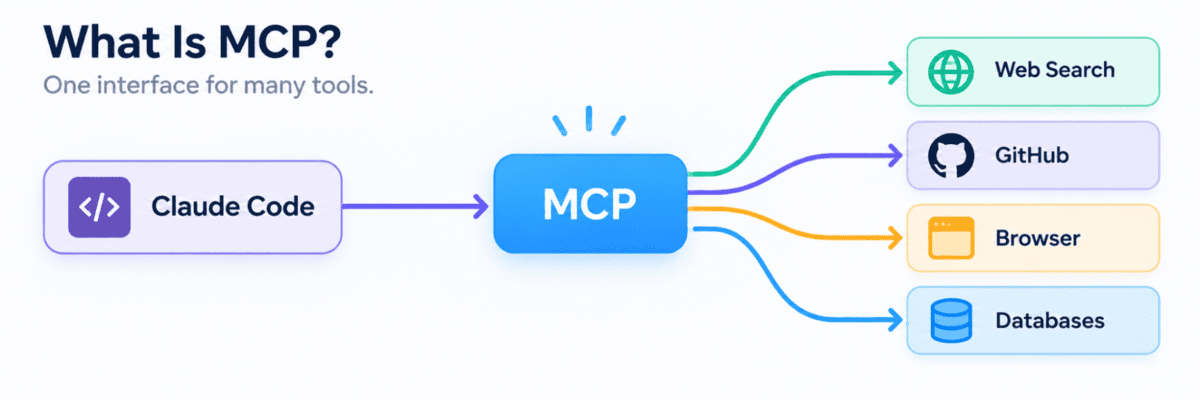
MCP does not replace APIs. An MCP server usually talks to the underlying API or service on behalf of the AI application. What MCP standardizes is how those capabilities are presented, discovered, and called by the AI.
An MCP server can expose three main capabilities:
- Tools: Actions the model can perform, such as searching the web, creating an issue, or running a query.
- Resources: Information the application can read, such as files, documents, or database records.
- Prompts: Reusable prompt templates or workflows exposed by the server.
For most AI agent workflows, tools are where MCP becomes especially useful, because they allow the model to move beyond generating text and actually interact with external systems.
How MCP Works
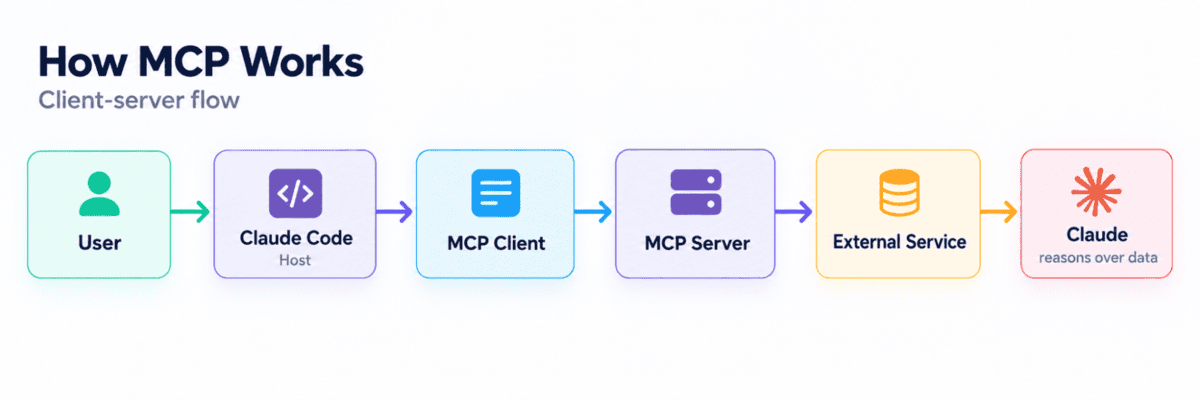
MCP follows a client-server architecture, but the flow is easier to understand when you see the pieces together.
The host is an AI application, such as Claude Code. Inside the host, an MCP client connects to one or more MCP servers. Those servers expose tools, resources, or prompts connected to external services.
For example, imagine asking:
Search for the latest PyTorch release and summarize the major changes.Claude first determines that the task requires current information. It can then inspect the available MCP tools, select a web-search tool, send the request through the MCP server, and receive the search results.
The important point is that MCP does not perform the reasoning. The model decides when a tool is needed and what to do with the result, while MCP provides the standardized connection that makes the tool available.
Getting Started With MCP in Claude Code
Now that we understand how MCP works, let us actually use it.
Claude Code has built-in support for managing MCP servers. To see the servers currently configured on your machine, run:
claude mcp listYou can also manage and inspect MCP connections directly inside Claude Code with:
/mcpThink of the setup like this:
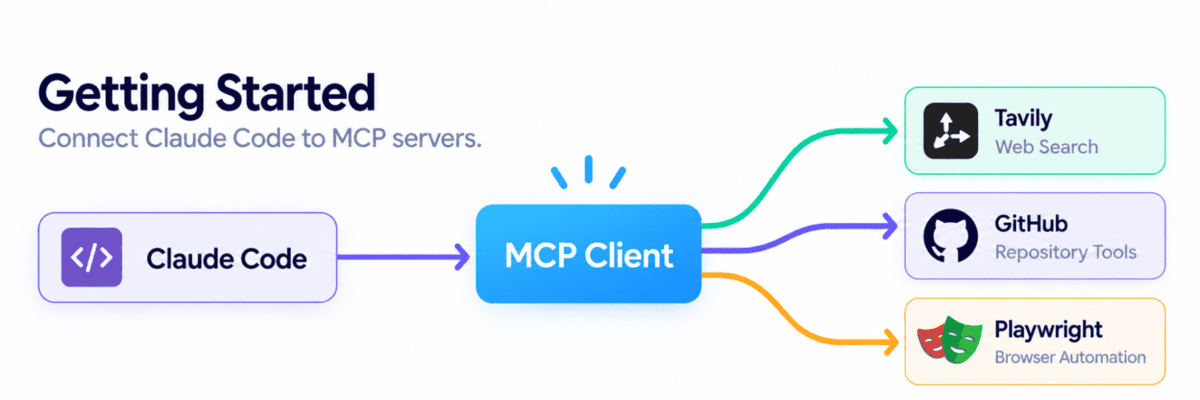
We will connect three MCP servers that cover some of the most useful agent workflows: searching the web, working with repositories, and controlling a browser.
1. Tavily for Web Search
Language models do not always have access to current information. Tavily solves that by giving Claude Code tools for live web search, extraction, crawling, mapping, and research.
Add the remote Tavily MCP server:
claude mcp add --transport http tavily Then open Claude Code and run:
/mcpSelect Tavily and complete the authentication flow if required. Tavily also supports passing an API key directly when configuring the server.
Now try:
Search the web for the latest vLLM release and summarize the main changes.The workflow becomes:
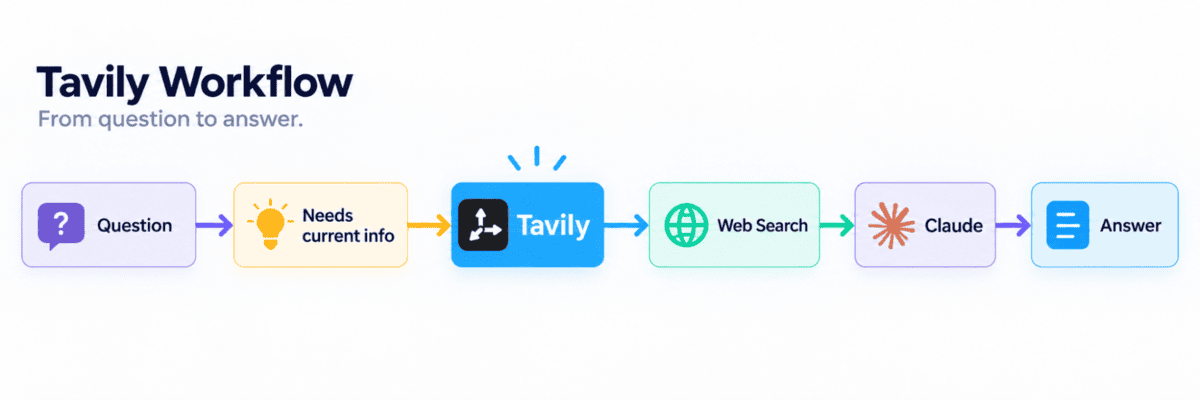
Claude does not need to know how Tavily’s underlying API works. It simply discovers the tools exposed by the MCP server and uses the appropriate one.
2. GitHub for Repository Workflows
The official GitHub MCP server turns GitHub into a set of tools Claude can work with directly.
Depending on your permissions, Claude can read repositories, search code, inspect commits, work with issues and pull requests, analyze workflows, and perform repository operations.
Add GitHub’s remote MCP server using a Personal Access Token (PAT):
claude mcp add --transport http github
  --header "Authorization: Bearer YOUR_GITHUB_PAT"
Replace YOUR_GITHUB_PAT with a GitHub PAT that has only the permissions you actually need.
You can now ask Claude Code things such as:
Review pull request #42 and identify potential bugs and missing tests.Or:
Show me the most important open issues in this repository.Conceptually:
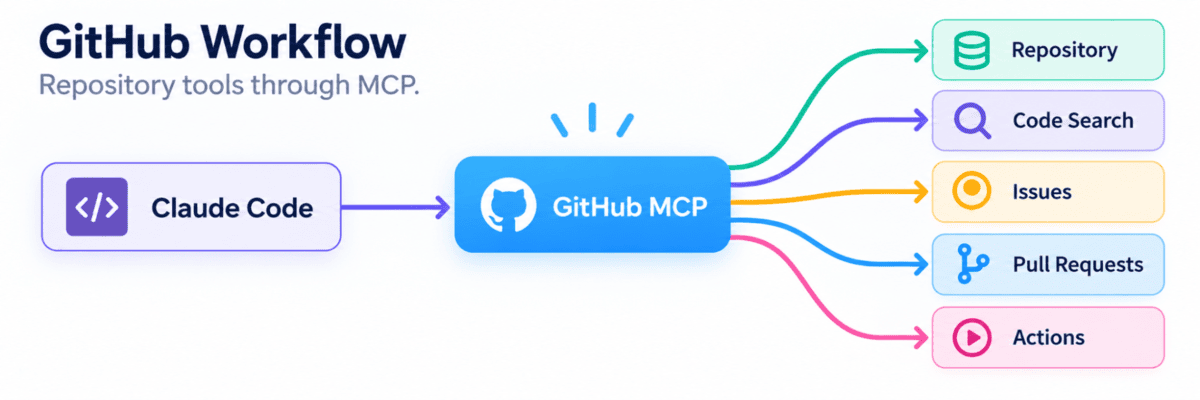
Instead of manually copying code, issues, and pull requests into the conversation, Claude can retrieve the required context through MCP and act on it when permissions allow.
3. Playwright for Browser Automation
Some tasks require more than APIs. The agent may need to open a website, click buttons, fill forms, navigate pages, or test an application.
That is where Playwright MCP becomes useful.
Add Microsoft’s Playwright MCP server:
claude mcp add playwright npx @playwright/mcp@latestThen try:
Open my local application and test the signup flow.The workflow now looks like this:
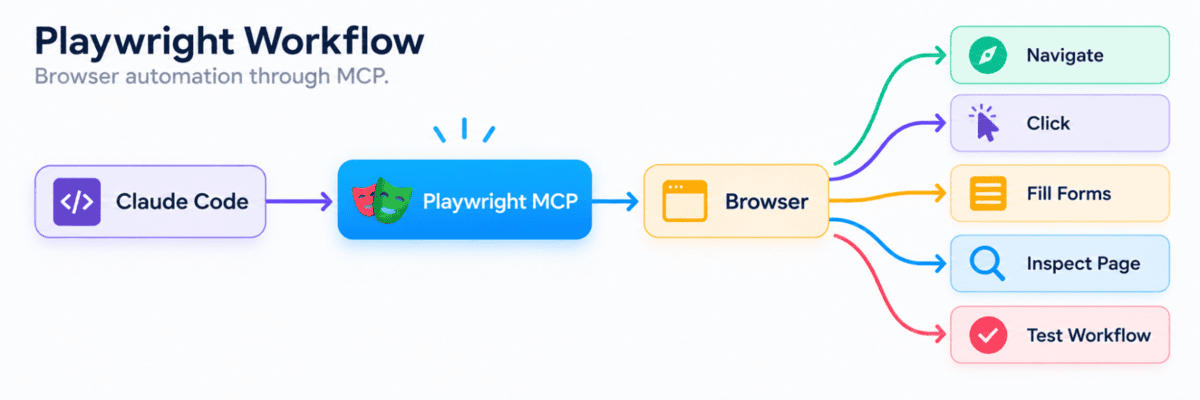
Playwright MCP works primarily with structured accessibility snapshots of the page, giving the model a structured representation it can use to interact with browser elements.
What Is New in MCP?
MCP has evolved quickly since its first release. The latest MCP 2026-07-28 specification introduces a major architectural change: the protocol core is now stateless.
Instead of maintaining a session with a specific server, each request contains the information needed to process it. This makes remote MCP servers much easier to scale across standard cloud infrastructure.
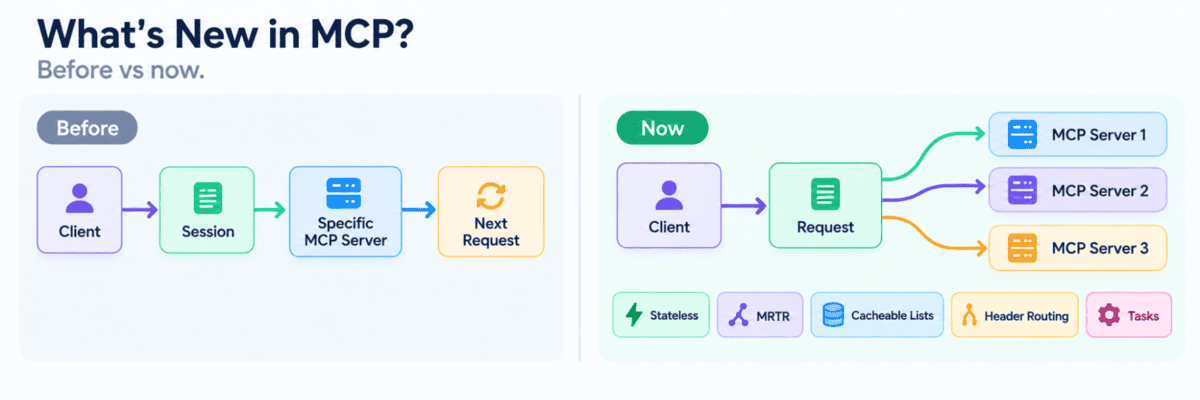
The new specification also adds:
- Stateless requests: No ongoing protocol session is required.
- Better routing: Servers and gateways can more easily identify and route requests.
- Caching: Tool, resource, and prompt lists can be reused instead of fetched repeatedly.
- Multi-step interactions: A tool can ask for more information and then continue the same task.
- Tasks: Better support for long-running operations.
- Improved authentication: Stronger support for secure remote MCP servers.
- Extensions: New capabilities can be added without changing the core protocol.
In simple terms, MCP is becoming easier to scale, more secure, and better suited for production AI agents.
Final Thoughts
MCP may sound technical at first, but the idea is simple: it gives AI applications a standard way to connect to external tools.
In this guide, we saw how Claude Code can use MCP to search the web with Tavily, work with GitHub repositories, and control a browser with Playwright. We also looked at how the latest MCP updates make these connections easier to scale and better suited for production.
Once you understand the basic flow of model — MCP — tool — result, it becomes much easier to build more capable AI agents without creating a custom integration for every service.
Abid Ali Awan (@1abidaliawan) is a certified data scientist professional who loves building machine learning models. Currently, he is focusing on content creation and writing technical blogs on machine learning and data science technologies. Abid holds a Master’s degree in technology management and a bachelor’s degree in telecommunication engineering. His vision is to build an AI product using a graph neural network for students struggling with mental illness.
[ad_2]
Source link